The conversation about integrating autonomous pick cells with a WMS almost always starts in the wrong place. Operations teams want to talk about pick rate targets and gripper specifications. IT and WMS teams want to talk about API credentials and network topology. Neither conversation is wrong, but neither is the right starting point. The right starting point is the wave release event — specifically, what data lives in that event payload and whether a robotic pick system can consume it without requiring changes to the WMS configuration.
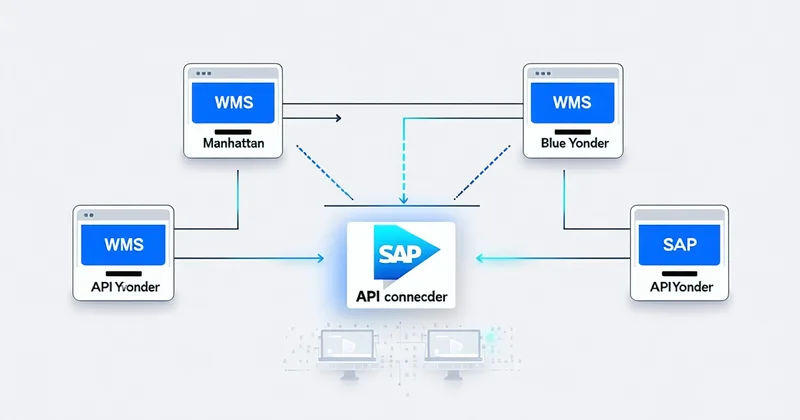
After working through integrations across Manhattan Active WMS, Blue Yonder Luminate Warehouse Management, SAP Extended Warehouse Management (EWM), and 3PL Central, we've found that four integration patterns consistently work and three failure modes consistently don't. This article covers both.
The Four Patterns That Work
Pattern 1: Wave-Release Event Subscription (Preferred)
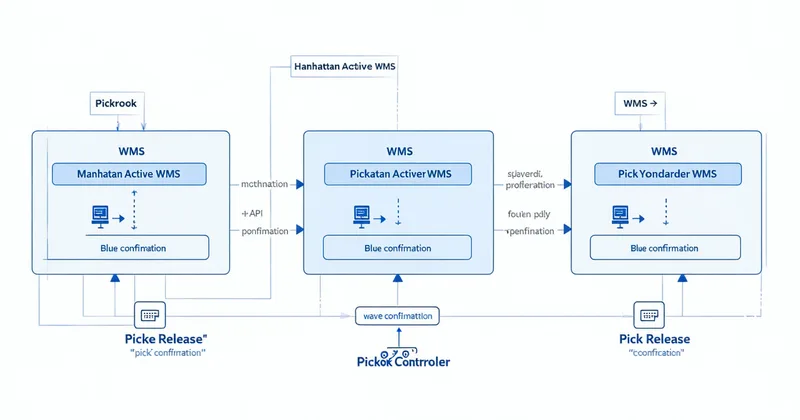
The cleanest integration pattern is event-driven: the WMS publishes a wave release event when it's ready to push work to pick zones, and Pickrook subscribes to that event via a webhook or message queue. Manhattan Active WMS supports this natively through its API event framework. Blue Yonder's Luminate platform exposes similar event hooks through its integration bus. SAP EWM requires a slightly different configuration — outbound IDocs or BAPIs, depending on whether you're on an S/4HANA deployment — but the logical behavior is the same.
Why this pattern works: the robot pick system doesn't have to poll the WMS for work. It receives the wave release, filters for items within its pickability envelope, and begins working the queue. Pick confirmations write back through the same API surface. The WMS maintains inventory accuracy in real time without any custom development on the WMS side.
Pattern 2: Order Line Pull with Velocity Filter
In environments where event-driven integration isn't available — particularly older Körber HighJump deployments or heavily customized NetSuite WMS instances — a pull pattern works well. Pickrook polls the WMS for released order lines at a configurable interval (typically 30–90 seconds), filters for SKUs within its assignment scope, and pulls those lines into its own work queue. Confirmations write back via REST.
The key discipline in this pattern is filtering: the pull query should only retrieve order lines that belong to the robot cell's scope — A/B class SKUs above pickability threshold, within the robot's assigned zones. Pulling the full open order queue and filtering locally creates unnecessary WMS query load and introduces latency that compounds during peak waves.
Pattern 3: Parallel Pick Zone with Human-Robot Split at Wave Generation
This is the pattern most compatible with 3PL multi-tenant environments. The WMS generates two parallel waves: a robot wave containing only pre-classified robot-eligible SKUs, and a human wave containing everything else. The waves share an order batch but are physically routed to different pick zones. Pickrook receives only the robot wave; human pickers work the human wave simultaneously.
Manhattan Active WMS handles this well through its zone routing configuration. Blue Yonder supports it via pick zone assignment rules. SAP EWM can model it through warehouse order creation rules. The operational advantage is that the human and robot waves are independent — a robot exception doesn't hold up the human wave, and human pick rate fluctuations don't affect the robot cell's throughput metrics.
Pattern 4: Confirmation Write-Back with Inventory Adjustment
Every integration pattern ultimately depends on a clean pick confirmation write-back. When the robot completes a pick, it sends a confirmation event to the WMS with: order line identifier, SKU, quantity, pick location, timestamp, and pick method flag (autonomous or exception-routed). The WMS decrements the bin location inventory and marks the order line as fulfilled.
The discipline here is exception differentiation. A pick completed by the robot is a different confirmation code than an item routed to the human exception station. Most WMS platforms support custom confirmation reason codes that preserve this distinction. Getting this right during integration testing matters because exception rate tracking becomes meaningless if exceptions and completed picks produce identical inventory records.
The Three Failure Modes
Failure Mode 1: WMS Pick Assignment Lock
Several WMS platforms — particularly older on-premises deployments — use a hard assignment model: when a pick task is generated, it's immediately locked to a specific picker ID. The WMS won't accept a confirmation unless it comes from the assigned picker. When you try to assign these tasks to a robot cell, the robot's API calls get rejected because the picker ID doesn't match.
The workaround requires a dedicated "robot picker" user in the WMS with an assigned license. This isn't architecturally ideal — it treats the robot as a pseudo-human — but it works and is the fastest path to a functioning integration in lock-model WMS environments. The alternative is modifying the WMS assignment logic, which typically requires a change request to the WMS vendor and several weeks of configuration and testing.
We're not saying the pseudo-user workaround is the right long-term architecture — we're saying it's the right short-term solution when your WMS vendor's roadmap for robot-native task assignment is more than six months out and you need picks moving now.
Failure Mode 2: Synchronous Confirmation Dependency
Some WMS configurations require that a pick confirmation be received and acknowledged before the next task is released to the same picker — a synchronous handshake model. This works at human pick rates (one pick every 20–40 seconds). It creates a bottleneck when the robot is completing picks at 280–350 per hour because the WMS is generating a confirmation acknowledgment cycle for every individual pick event at that frequency.
The solution is batch confirmation: the robot cell accumulates confirmations in a local buffer and flushes them to the WMS in configurable batch intervals — typically every 10–15 seconds. The WMS processes a batch of 30–60 confirmations at once rather than one at a time. This requires testing to ensure the WMS inventory count remains accurate under batch write conditions, but it's a validated pattern in both Manhattan Active WMS and Blue Yonder integrations.
Failure Mode 3: SKU Master Data Gaps
The integration failure mode that creates the most operational disruption isn't a technical API issue — it's SKU master data quality. When a SKU in the WMS doesn't have the dimensional and weight attributes that Pickrook's pickability scoring requires, the robot can't make a reliable pick decision. In the best case, it routes the item to the exception station. In the worst case, it attempts a pick based on incomplete data, fails, and the failed attempt generates a false confirmation event that creates an inventory discrepancy.
In a growing 3PL running multiple clients, SKU master data quality is rarely uniform across accounts. Some clients maintain meticulous product data; others treat the WMS as an order management system and skip physical attributes entirely. The integration validation process needs to include a SKU master data audit — identifying which SKUs lack dimensional data — before the pick cell goes live. We've found that 15–30% of SKUs in a typical 3PL's forward pick area have incomplete physical attributes in the WMS, which is a meaningful exception routing load if not addressed pre-deployment.
What Integration Validation Actually Looks Like
When Pickrook validates an integration before a pilot deployment, the test sequence covers: wave release event reception and parsing, SKU-level filter accuracy, pick task assignment (including the pseudo-user configuration if required), pick confirmation write-back under normal and batch conditions, exception routing and confirmation codes, and inventory accuracy verification after a full simulated shift run. The process typically takes 3–5 business days when WMS credentials and test environment access are available from day one.
The 4-week deployment timeline we commit to is contingent on WMS access being provisioned in week one. The most common deployment delay we see is not a technical integration challenge — it's waiting for IT to provision test credentials and set up a staging environment. If you're planning a pilot deployment, getting IT to agree on WMS access timelines before the site survey is the most valuable thing you can do to protect your deployment schedule.
Questions about your specific WMS platform and how integration would work for your facility configuration? Talk to Priya's team — we've validated integrations across the platforms listed above and can give you a direct answer about your configuration.