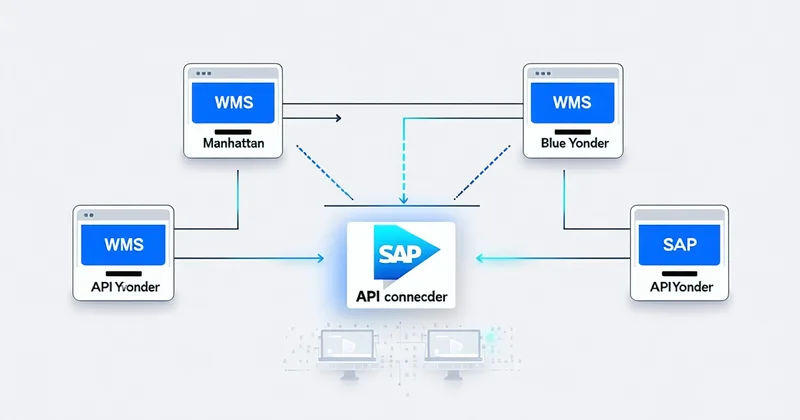
Manhattan Active WMS and Blue Yonder Luminate are the two most common WMS platforms we encounter in mid-size 3PL and fulfillment center deployments. They share a broad set of functional capabilities — wave management, task interleaving, inventory control, labor management — but their integration surfaces for external robotic pick systems are structured differently. Knowing those differences before you begin an integration project saves significant time and prevents the category of surprises that show up only during end-to-end testing.
This guide covers the API call sequence, wave release event handling, and pick confirmation write-back patterns we've validated across pilot deployments on both platforms. It's written for integration engineers and WMS administrators, not for procurement committees. Code examples use pseudocode representative of actual REST call structures — not production credentials or undocumented endpoints.
Manhattan Active WMS: Integration Architecture
API Surface and Authentication
Manhattan Active WMS exposes a REST API based on the Manhattan Open API framework. The API uses OAuth 2.0 client credentials flow for service-to-service authentication. The Pickrook integration service registers as an API client in the Manhattan tenant configuration, receives a client ID and client secret, and exchanges these for a bearer token on each session. Token lifetime is configurable in the Manhattan tenant — we recommend a 60-minute token life with automatic refresh to avoid expiration during a long wave run.
The base URL structure follows https://<tenant>.manh.com/api/v1/ with resource paths organized by Manhattan's domain model (inventory, orders, tasks, locations). The version segment matters: Manhattan Active WMS API versioning is explicit and breaking changes are introduced in new version prefixes rather than deprecated in existing paths. Verify your platform version against the API documentation version before writing integration code.
Wave Release Event Sequence
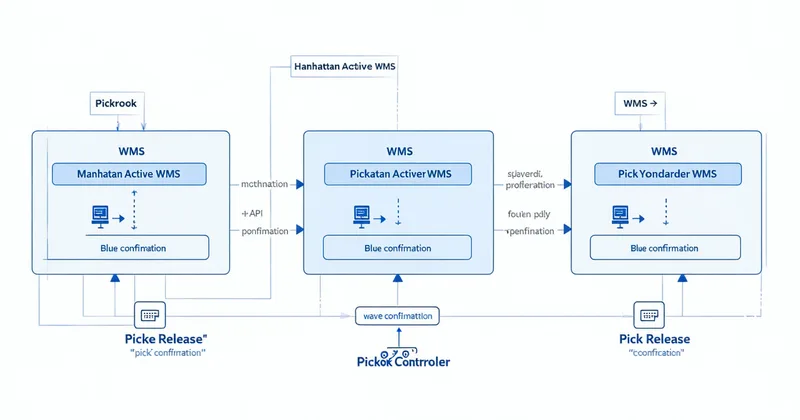
Manhattan Active WMS supports webhook-style event notifications for wave releases. The integration flow works as follows:
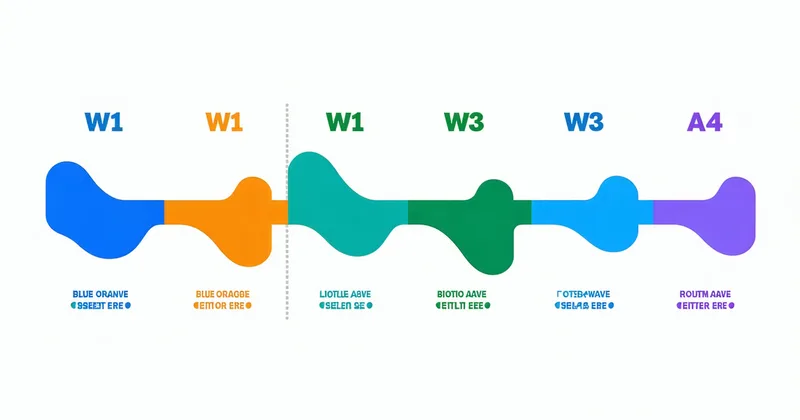
The WMS administrator configures a wave release event subscription in the Manhattan integration framework, pointing to the Pickrook integration service's inbound event endpoint. When a wave is released, Manhattan fires a POST request to the configured endpoint with a wave release payload. The payload contains the wave ID, wave type, release timestamp, and a summary of order line counts by zone.
Upon receiving the wave release event, Pickrook's integration service makes a follow-up GET request to retrieve the full order line detail for the wave: GET /api/v1/wavemanagement/waves/{waveId}/tasks. The response includes individual pick task records with order line ID, SKU, quantity, from-location, and task assignment status. Pickrook filters this response for tasks assigned to the robot cell's zone code, adds them to the robot pick queue, and acknowledges the wave release event with a 200 response.
One configuration nuance in Manhattan Active WMS: the task assignment status at wave release is typically "Unassigned" for robot cell tasks until a picker ID is assigned. As discussed in the integration patterns article, Pickrook registers a dedicated "robot picker" user in Manhattan to receive task assignments. The Pickrook integration service calls POST /api/v1/tasks/{taskId}/assign to assign each eligible task to the robot picker ID before the robot begins working the queue. Tasks that aren't assigned to the robot picker will remain in the unassigned pool and may be picked up by a human if the robot doesn't claim them within the wave's assignment window.
Pick Confirmation Write-Back in Manhattan
Pick confirmations use POST /api/v1/tasks/{taskId}/complete with a payload containing: quantity picked, from-location confirmed, pick method (autonomous or exception), and completion timestamp. Manhattan Active WMS validates the confirmation against the task's expected SKU, quantity, and location. A successful confirmation returns 200 with the updated task status; the WMS decrements the location inventory and marks the order line as fulfilled.
For batch confirmations — when Pickrook flushes a queue of completed pick events in one API call rather than one per pick — Manhattan Active WMS supports a batch task completion endpoint: POST /api/v1/tasks/batch-complete accepting an array of task completion objects. Batch size limit in tested deployments is 100 tasks per request; we recommend batches of 50 to maintain a margin against limit changes in API version updates.
Error handling for pick confirmations requires specific attention in Manhattan Active WMS. If a confirmation is rejected — because the task was already confirmed by another picker, the SKU doesn't match, or the location is out of sync — Manhattan returns a 4xx error with an error code in the response body. The Pickrook integration service must handle these errors explicitly: route the affected order line to the exception queue, log the error code and task ID for supervisor review, and prevent the confirmation from being retried automatically (retrying a rejected confirmation can create duplicate inventory decrements in some Manhattan configuration states).
Blue Yonder Luminate WMS: Integration Architecture
API Surface and Authentication
Blue Yonder Luminate WMS exposes REST APIs through its Integration Bus, which can be configured with either API key authentication (simpler, suitable for controlled integration environments) or OAuth 2.0 (recommended for production deployments with elevated security requirements). The API base URL follows Blue Yonder's tenant configuration and is provided by the Blue Yonder tenant administrator rather than being derivable from the tenant name alone.
One practical difference from Manhattan: Blue Yonder's API documentation is organized by functional module rather than by resource type. The relevant modules for a robotic pick integration are Warehouse Management (inventory, locations, pick tasks) and Yard/Wave Management (waves, order lines, release events). Cross-module operations — like confirming a pick task while simultaneously checking the order line status — require two separate API calls rather than a single combined endpoint.
Wave Release Handling in Blue Yonder
Blue Yonder Luminate's wave release event mechanism is configured through the Integration Bus's event publishing framework. When a wave is released, the Integration Bus publishes a wave release message to a configurable endpoint. The message structure includes wave metadata and a flag indicating which zones were included in the release. Pickrook's integration service subscribes to wave release messages filtered by zone code.
The follow-up task detail pull differs from Manhattan's structure: Blue Yonder uses GET /wm/v1/waves/{waveId}/workItems to retrieve the individual pick work items for a wave. The response structure uses Blue Yonder's work item model, which differs from Manhattan's task model in how it represents multi-unit picks. In Blue Yonder, a pick work item for quantity 3 of a SKU is a single work item with a quantity field — not three separate work items. This affects how Pickrook processes the work item queue: a work item with quantity greater than 1 is expanded into the robot's internal pick queue as N separate pick cycles.
Pick Confirmation in Blue Yonder
Blue Yonder pick confirmations use POST /wm/v1/workItems/{workItemId}/confirm with a payload containing quantity confirmed, from-location, and a completion reason code. The completion reason code is where the robot-vs-exception distinction is recorded: we configure two distinct reason codes in the Blue Yonder tenant — one for autonomous completion, one for exception-routed completion — and verify during integration testing that these reason codes appear correctly in the Blue Yonder work item history and in the Blue Yonder reporting dashboards that the facility's ops team uses for shift reporting.
A specific behavior difference in Blue Yonder vs. Manhattan: Blue Yonder's work item confirmation does not automatically trigger an inventory decrement in all deployment configurations. Some Blue Yonder tenant configurations require an explicit inventory transaction call following pick confirmation. This isn't a bug — it reflects Blue Yonder's separation of task execution from inventory management in its data model — but it's a configuration dependency that needs to be verified during integration testing and explicitly documented in the integration runbook. Missing the inventory decrement call produces a confirmation success response with no corresponding inventory change, which creates a growing accuracy discrepancy that compounds over a shift.
Integration Testing Protocol
Regardless of which platform you're on, the integration test sequence covers six scenarios in order:
- Authentication and token lifecycle (including token refresh under sustained session load)
- Wave release event reception and task pull in a single-client wave
- Task assignment to robot picker user (Manhattan) or work item claim (Blue Yonder)
- Pick confirmation write-back for a single task, verifying inventory decrement in the WMS location record
- Batch confirmation of 50 tasks, verifying sequential inventory accuracy across the batch
- Exception routing: one task fails vision confidence, routes to exception queue, human picker confirms via the WMS mobile UI, both confirmations present in the WMS order history under the correct reason codes
Scenario 6 is where most integration test failures surface. The exception routing path involves more state transitions in the WMS than the standard completion path — the task goes from assigned to in-progress to exception-hold to human-assigned to complete — and each transition has to be triggered by the correct API call from the correct client (Pickrook integration service for robot-side transitions; WMS mobile app for human-side transitions). Getting the exception routing state machine right in testing prevents a class of production failures where exceptions end up stuck in an unresolvable state mid-shift.
If you're planning a Manhattan Active WMS or Blue Yonder integration and want to walk through the specific configuration steps for your tenant version and deployment configuration, reach out to Priya's integration team. We've been through both platforms' integration cycles across multiple deployments and can give you a specific answer about your configuration before you begin development work.