Request Pilot
How It Works

From wave release to confirmed pick. Four steps, no WMS changes.

Pickrook operates inside your existing WMS workflow. Your wave releases trigger the pick sequence. Pickrook executes, confirms, and logs — all through your current API integration.

Pick Cycle Detail

Every step of the pick cycle, explained.

Step 01

WMS wave release arrives via API

Your WMS sends a wave release to the Pickrook controller via REST API. No changes to your wave configuration — Pickrook reads the standard order queue format your WMS already generates.

The controller parses the wave, scores each line item against the SKU profile database, and assigns picks to robot stations or exception queue based on pickability scores.

Supported: Manhattan Active WMS · Blue Yonder · SAP EWM · Körber HighJump · NetSuite WMS · 3PL Central
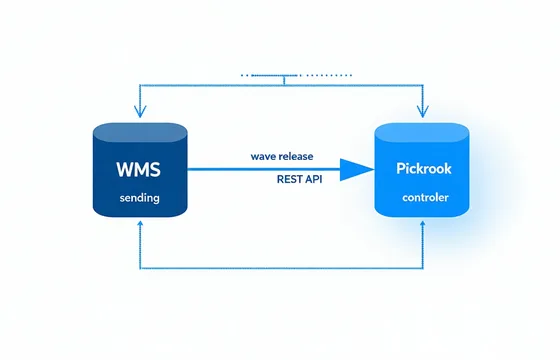
WMS wave release transmitted via API to Pickrook pick cell controller — system architecture diagram
Step 02

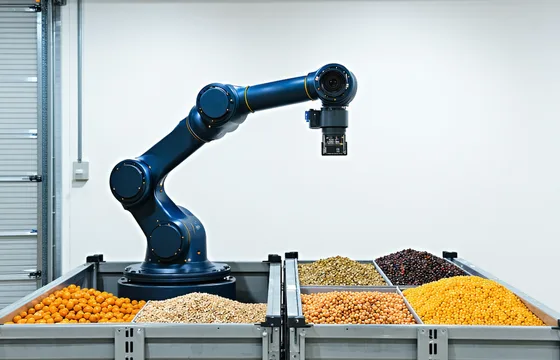
Vision system identifies SKU and bin location

The Pickrook vision system uses multi-camera RGB-D imaging to identify the target SKU in the bin and determine the optimal pick approach. Each SKU is scored on 5 axes in real time: size, weight estimate, orientation variance, surface texture, and fragility flag.

No barcode scanning required for supported SKU profiles. The system builds a running SKU accuracy model over each deployment, improving assignment decisions as it learns your specific bin configuration.

Vision score threshold: configurable per SKU category · Typical identification latency: <80ms
Robotic pick arm with vision camera identifying a product SKU in a warehouse bin
Step 03

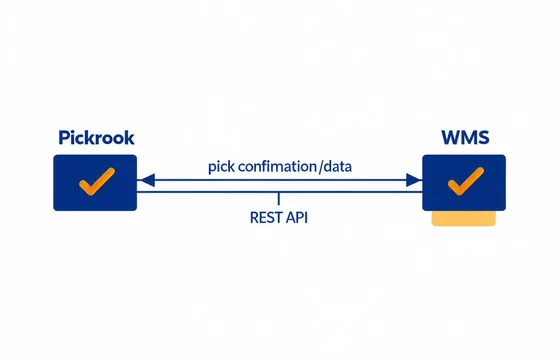
Robot picks and writes confirmation to WMS

The gripper executes the pick using the mode selected by the vision system (vacuum or parallel-jaw). Pick success is confirmed by weight and vision verification. The controller writes the pick confirmation immediately back to your WMS via API — the same data format your WMS expects from a human scan confirmation.

WMS writeback: pick confirmation + quantity + timestamp · Cycle time logged per SKU
Pick confirmation being written back to WMS via API — confirmation data flow diagram
Step 04

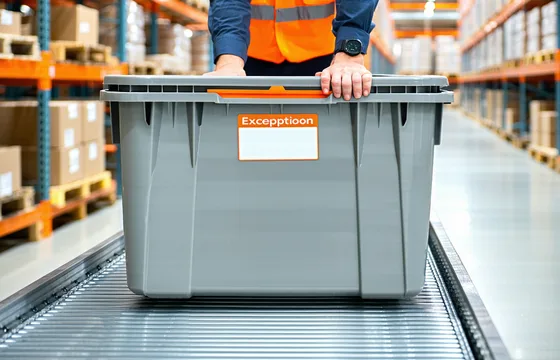
Exceptions routed to human station

Items outside the robot's handling envelope route to a staffed exception station. Exception triggers include: vision score below threshold, weight anomaly, bin location error, or fragility flag on SKU profile. Exception reason is logged per item and fed back into the wave assignment model.

Human pickers at the exception station handle what they're actually good at: irregular items, fragile SKUs, and edge-case handling decisions. No time spent on repetitive B/C SKU picks.

Exception rate: typically <8% of wave volume in validated deployments · All exceptions logged per SKU
Exception tote on a conveyor routed to human worker pick station in a warehouse
WMS Integration Detail

Human-robot handoff and WMS writeback mechanics.

The Pickrook integration doesn't require any changes to your WMS. Here's what the data flow looks like.

Inbound: Wave Release

Pickrook reads your WMS's standard wave release format. No custom export, no schema change. The controller polls the WMS API at configurable intervals (default: 30-second wave release check).

wave_id · order_lines[] · bin_location · sku_id · qty

Outbound: Pick Confirmation

Each confirmed pick writes back to your WMS in the same confirmation format your operators use. Your WMS sees Pickrook picks as completed operator actions. No special confirmation types or custom fields required.

wave_id · line_id · confirmed_qty · timestamp · source: PICKROOK
Deployment Timeline

4 weeks from signed pilot to first autonomous pick.

Marcus Holloway, Head of Field Operations, runs every deployment personally. The 4-week timeline is a design constraint, not a sales claim.

  1. W1

    Site survey and WMS API audit

    Marcus's team visits your facility for floor layout, bin configuration, SKU profile audit, and WMS API compatibility check. We leave with floor plan, SKU velocity data, and WMS API credentials. You receive a deployment scope document within 3 business days.

  2. W2

    WMS integration build and cell configuration

    Priya Venkataraman's integrations team builds the WMS connector using your API credentials. Pickrook cell hardware ships to your facility. Cell footprint is staked out in the designated pick zone — no construction, no conveyor modification.

  3. W3

    Cell installation and SKU profile training

    Cell is installed and powered. Vision system is trained on your top 50 B/C SKU profiles using existing bin inventory. WMS integration tested end-to-end with test wave releases. Safety perimeter established and certified.

  4. W4

    Go-live: first autonomous pick wave

    Cell runs first live pick wave alongside existing human pick operations. Pickrook field team on-site for full first day. Exception rate, pick accuracy, and throughput logged. Cell enters standard operations with remote monitoring active.